



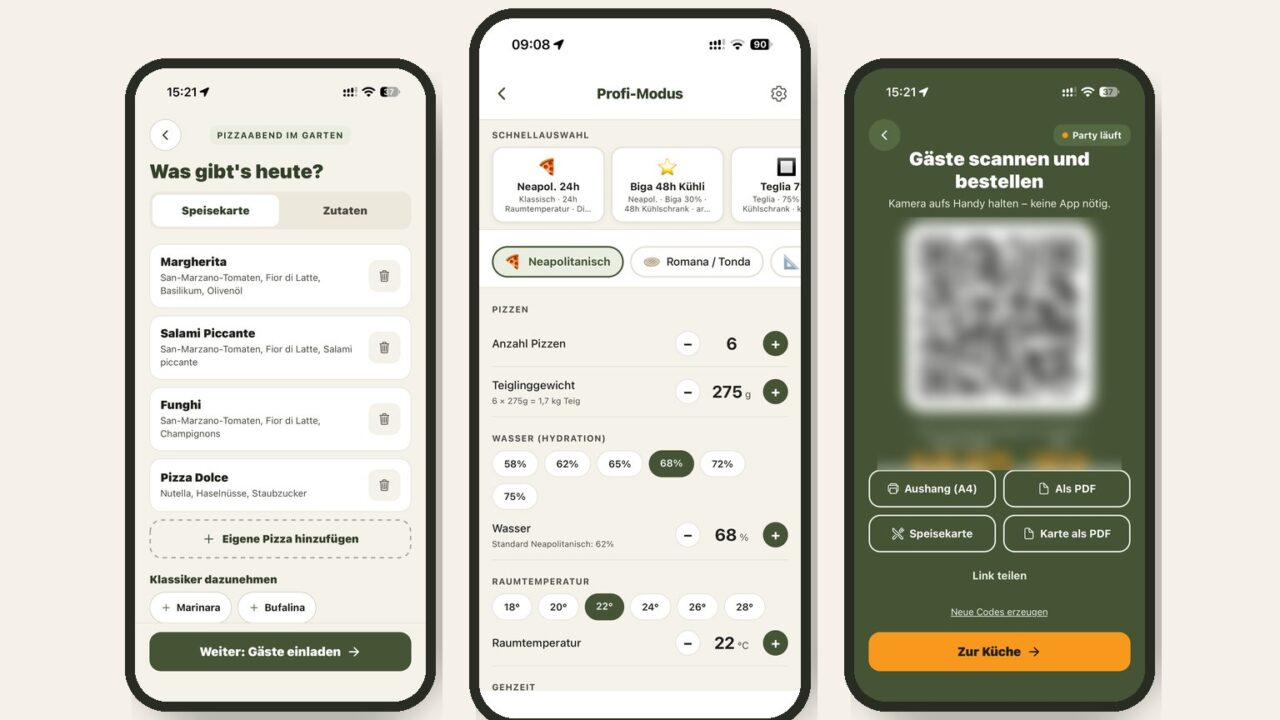
The pizza is supposed to be on the table on Saturday at 7 pm, but when do you start the dough? A pizza dough calculator gives you the ingredient amounts, but you're still left with the question of when to knead, shape the dough balls and turn on the oven. That's exactly the question I built the PizzaLaden app for. It's free.
A pizza dough calculator that keeps an eye on the clock too
Working out flour, water, yeast and salt is one thing. Planning the dough so it fits your pizza night is another, especially if you don't have a feel for the individual steps yet.
PizzaLaden combines both: you enter when you want to eat, and the app works backwards from that time. You get exact ingredient amounts and a baking plan with times, instead of piecing the order together yourself.
Why did I build the app in the first place? The pizza apps I knew were full of ads, and I was always looking for a guided mode. If you're just starting out, you don't need a pro mode right away where you have to set everything yourself. You want someone to take you by the hand.
And I built it for my course participants. When they come to my shop after the workshop, I often hear: “I still use your course booklet to look things up.” That makes me happy, but the booklet sits in a drawer. Your phone is always with you.
It's made here in Teesdorf, it speaks German, English, Italian and Hungarian, and you can get it on the App Store and Google Play.
Plan your dough in 5 questions
To get started, I recommend “Plan dough – step by step”. You don't need your own recipe for it, or any idea of how much yeast belongs in your dough.
The app walks you through five questions:
- Which pizza do you want to bake? For example Neapolitan, Romana/Tonda or Teglia, i.e. pan pizza.
- How many pizzas do you want? That sets the amount the app should calculate your pizza dough for.
- Which oven and which flour are you using? You enter what you actually bake with.
- How should your dough rise? You can also plan with biga, a stiff preferment, or poolish, a liquid preferment.
- When do you want to eat? That time is the starting point for your baking plan.
For Neapolitan, the app suggests 62 % hydration. Hydration is the amount of water relative to the flour: 620 g of water to 1 kg of flour. That's also the value we start with in the workshop, because the dough is still easy to handle.
It also tells you how warm the water should be. The default is water from the fridge at around 6 °C, so you don't have to guess what “cold” means.
💡Tip
If you're baking for the first time: pick Neapolitan and leave it at 62 %. You can always try more water next time, once you have a feel for the dough.
Your baking plan reminds you of the next step
The best recipe is no use if you forget to shape the dough balls on Friday at 9 pm. That's why the app pings you at every step:
- Knead the dough
- Stretch & Fold, i.e. stretching and folding the dough
- Shape the dough balls, the individual portions for your pizzas
- Preheat the oven
For me, Stretch & Fold belongs to every well-made dough, so it's a fixed part of the plan. Every step comes with short instructions; for kneading, for example, the windowpane test: you stretch a piece of dough thin, and if it doesn’t tear right away, you’re good.
While kneading, you can tick off the ingredients and amounts. That way you keep track of what's already in the bowl, even if someone rings the doorbell in between.
Several plans can run at the same time, like pizza dough for Saturday and focaccia for Sunday.
💡Tip
Allow the app to send notifications on your phone. Without that permission it can't remind you of the next steps.
Pro mode: when you want to fine-tune
Once you've got a few doughs under your belt, at some point you'll want to tweak the values yourself. In pro mode, quantity, dough ball weight, hydration, salt, yeast, room temperature and rising time are all on one page.
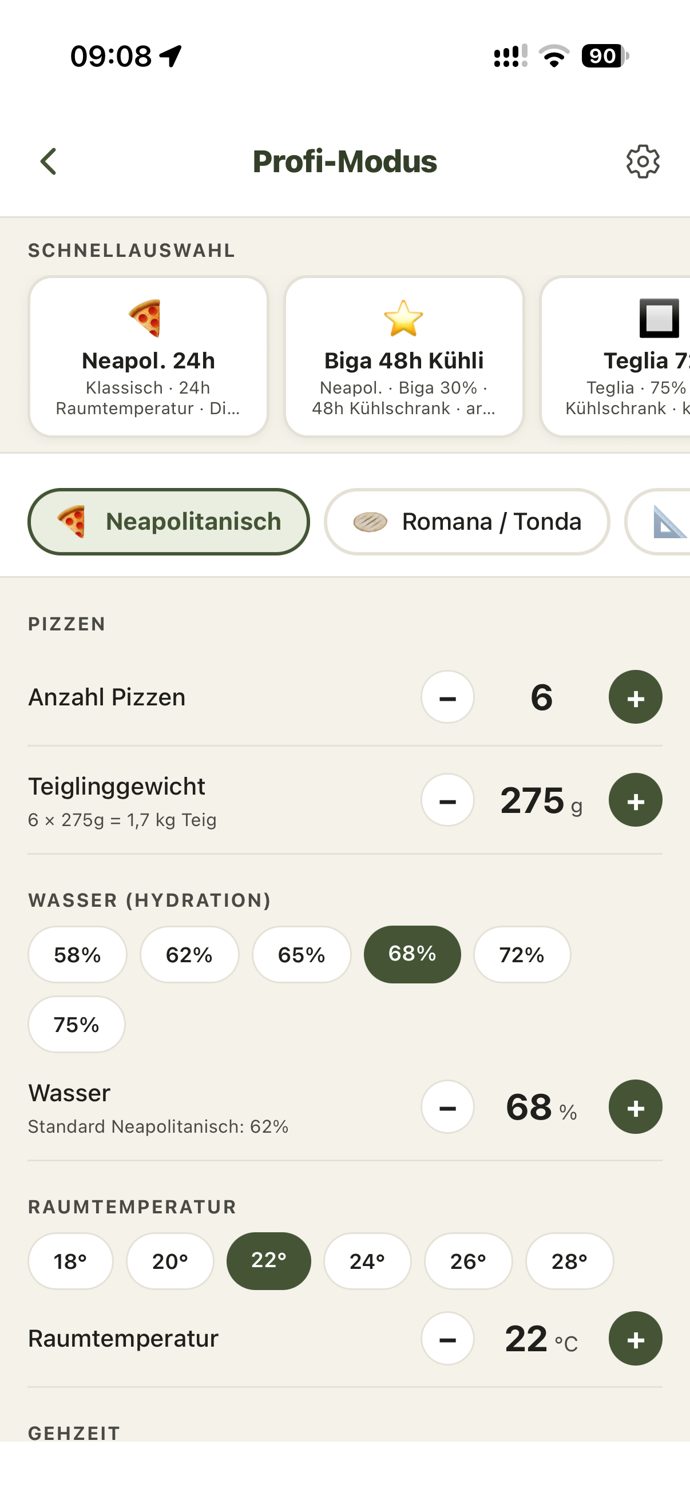
On top of that there's biga, poolish and lievito madre (mother dough, a kind of sourdough). For a cold proof, i.e. letting the dough rise in the fridge, you can set the hours in the fridge and the time at room temperature afterwards.
For pizza dough I recommend 24 hours of rising time or more, ideally in the fridge. I explain why in detail in 24, 48 or 72 hours.
For a quick start there are templates like “Neapol. 24h” or “Biga 48h fridge”, and the app remembers your settings from last time.
🌡️Pro tip
For the nerds: the water temperature can be calculated from your desired dough temperature: water = 3 × target dough temperature − room temperature − flour temperature − heat from kneading. A machine puts more heat into the dough than your hands, which is why the app asks how you knead.
Plan a pizza party with a QR code
As soon as guests arrive, it’s not just about the dough anymore. Who wanted the Funghi, who's next, and whose is the Margherita that's just coming out of the oven?
That’s what PizzaParty is for. All orders land in your kitchen view, and nobody has to shout across the garden.
Here's how it works:
- Create a party.
- Put together the menu, for example with Margherita, Salami Piccante, Funghi and Pizza Dolce. Alternatively, guests build their own pizza from ingredients.
- Print the notice. You get the QR code and menu as a PDF.
- Let guests order. They scan the QR code and order on their own phone, no app and no account needed.
- Open the kitchen view. There you see all orders, on the iPad too.
- Mark the pizza as ready. The guest gets a notification when their pizza is done.
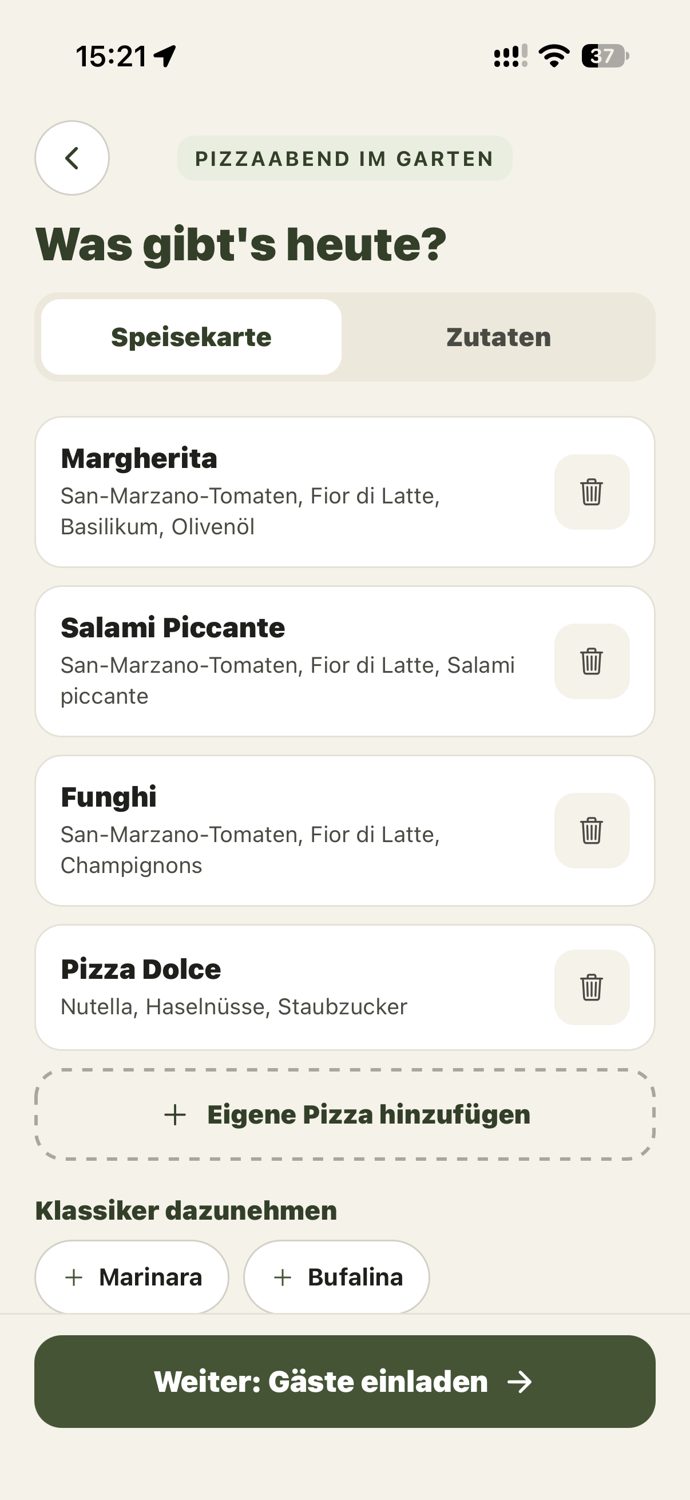
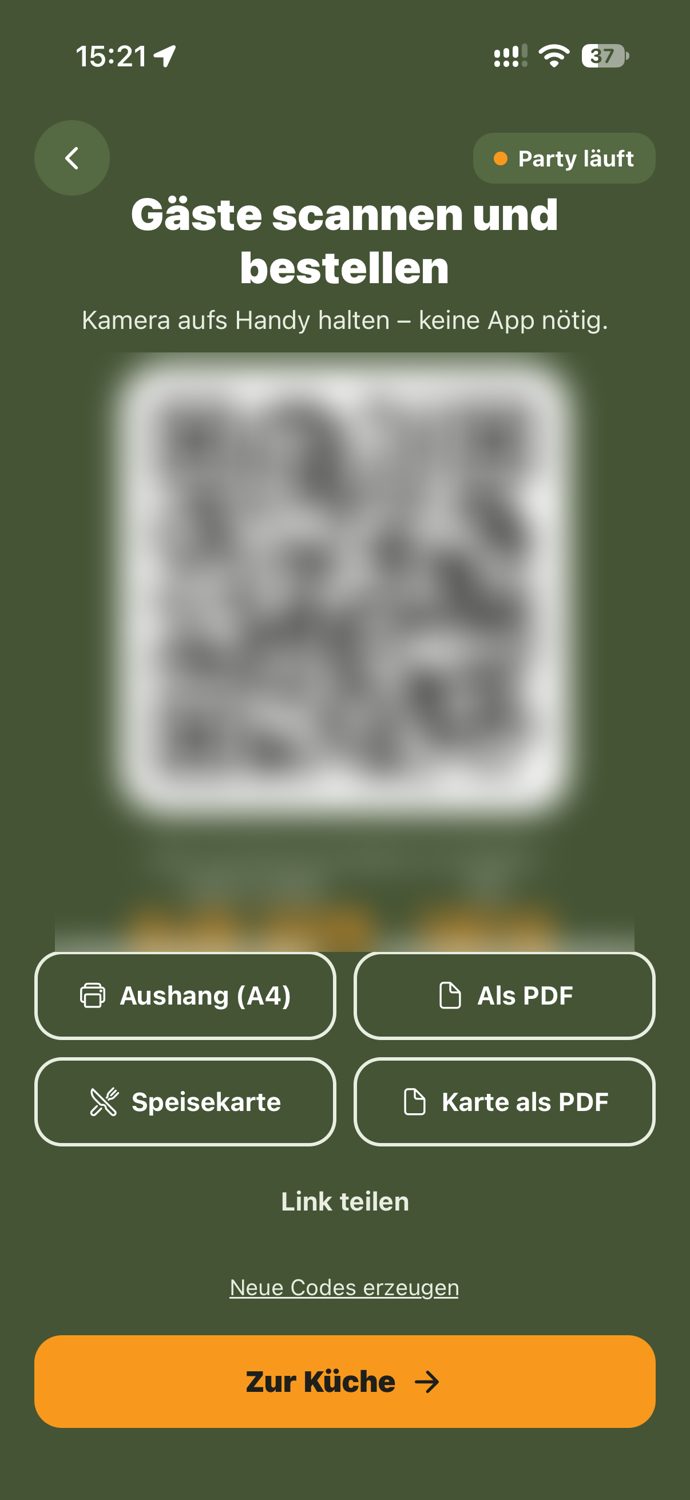
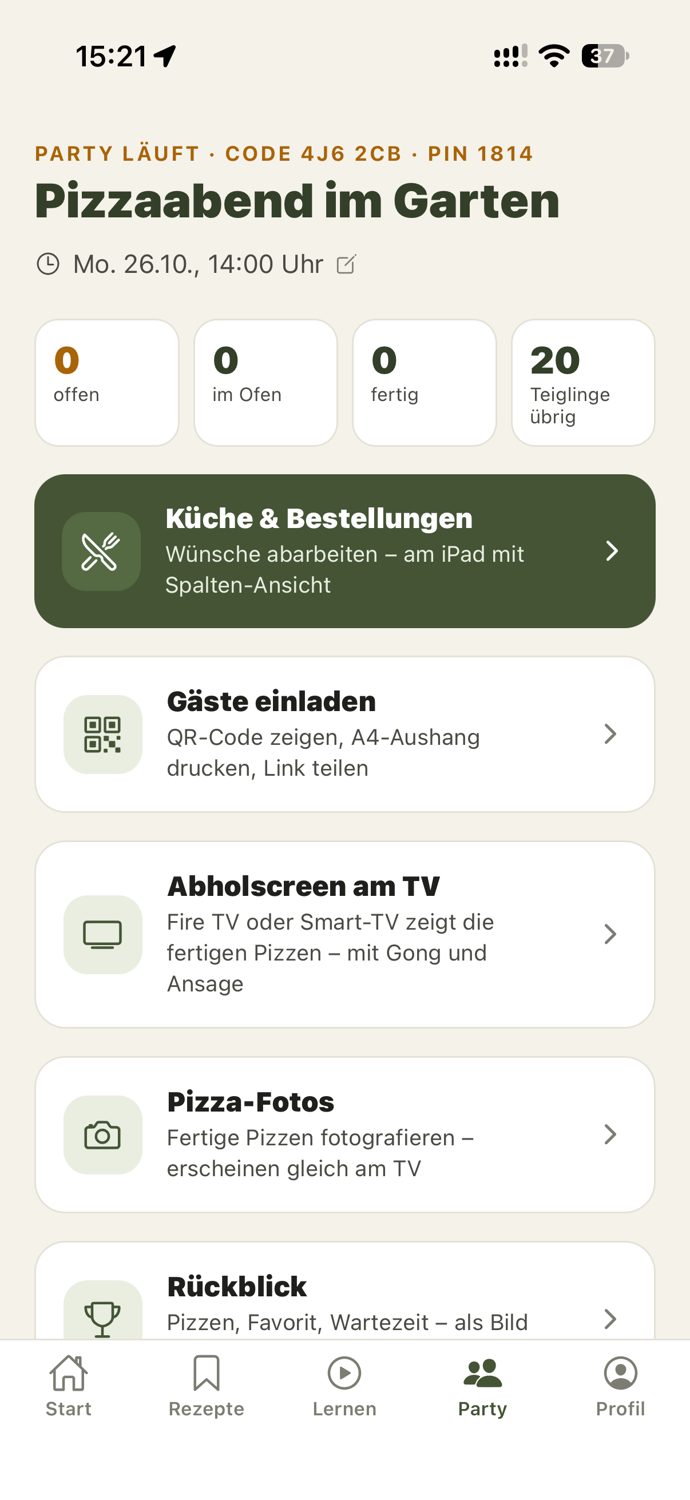
You can limit how many pizzas a guest can have open at the same time. Optionally there's a pickup screen on the TV with order numbers, photos of the pizzas and cheers from your guests.
How to prepare the rest of the evening is in my pizza party guide.
⚠️Heads up
The app counts the dough balls. Once they're all taken, nobody can order anymore. So plan one or two spare dough balls, somebody is always still hungry.
What else is in there
The app is handy between baking days too:
- Recipes: Save them under “My doughs”, create your own recipes and share recipes. Recipes from the PizzaStunde blog are right there in the app too.
- Flour guide: Helps you find which flour suits which pizza, with protein content and W value, a measure of flour strength.
- My oven: Oven profiles with temperatures and tips.
- Videos: My tutorials from the YouTube channel, step by step.

🛠️Coming next
Here's what I'm working on right now:
- Pre-orders for parties: Guests pick their pizzas days in advance. You can plan dough balls and toppings, and on party day the pre-order is locked in.
- Baking diary with a trouble doctor: Note what went well, and get tips when the dough is sticky or the crust stays pale.
- Baking timer for the oven.
Frequently asked questions
Is the app free?
Yes, PizzaLaden is free. The app has no ads and no tracking.
Is the app available for Android?
Yes, PizzaLaden is available for Android on Google Play and for iPhone on the App Store.
Do my guests need the app for the pizza party?
No, your guests scan the QR code and order in their phone's browser. They need neither the app nor an account.
How much dough do I need for one pizza?
My standard is 270–290 g of dough for a pizza about 33 cm in diameter; with my standard recipe, 1 kg of flour makes six dough balls. The app calculates the amounts for you, and why it's exactly that much is explained in How much dough for one pizza.
Give the app a try, and if something's missing or doesn't fit, write to me. I keep building on it, and lots of the ideas come from you.